Features
Everything you need to govern AI
Two pillars. Governance gives you visibility; Controls give you enforcement. Together they help security stay ahead of how people actually use AI.
Governance
See exactly what AI your organization is using
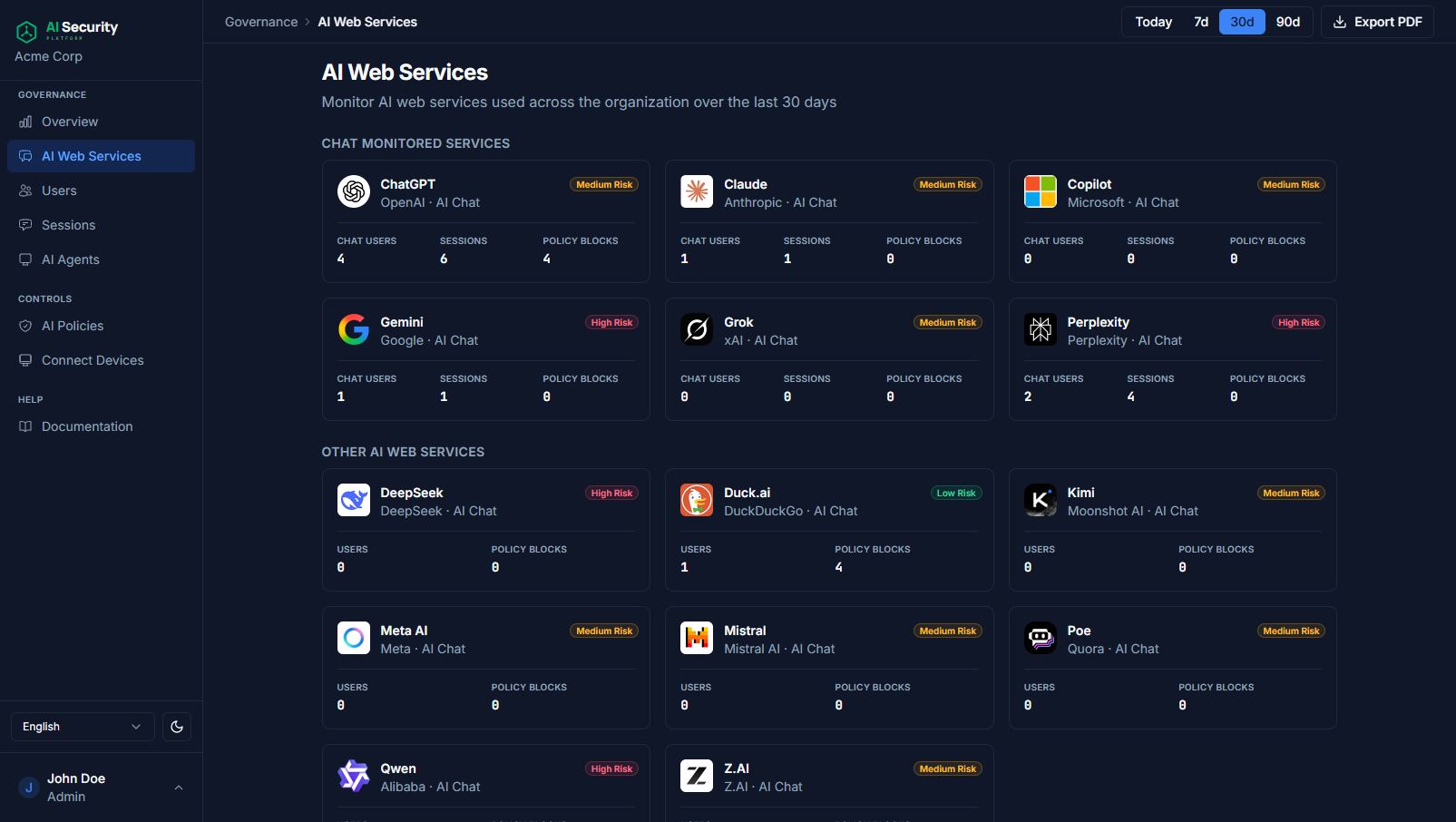
AI Chat Tools
Track every chat tool and vendor in one view
Track prompts, users, and risk level across Perplexity, ChatGPT, Gemini, and dozens more. Tools are auto-classified the moment they appear on an endpoint.
- Vendor usage breakdown with risk classification
- Per-tool active user and session counts
- Drill into any vendor to see the underlying activity
Sessions
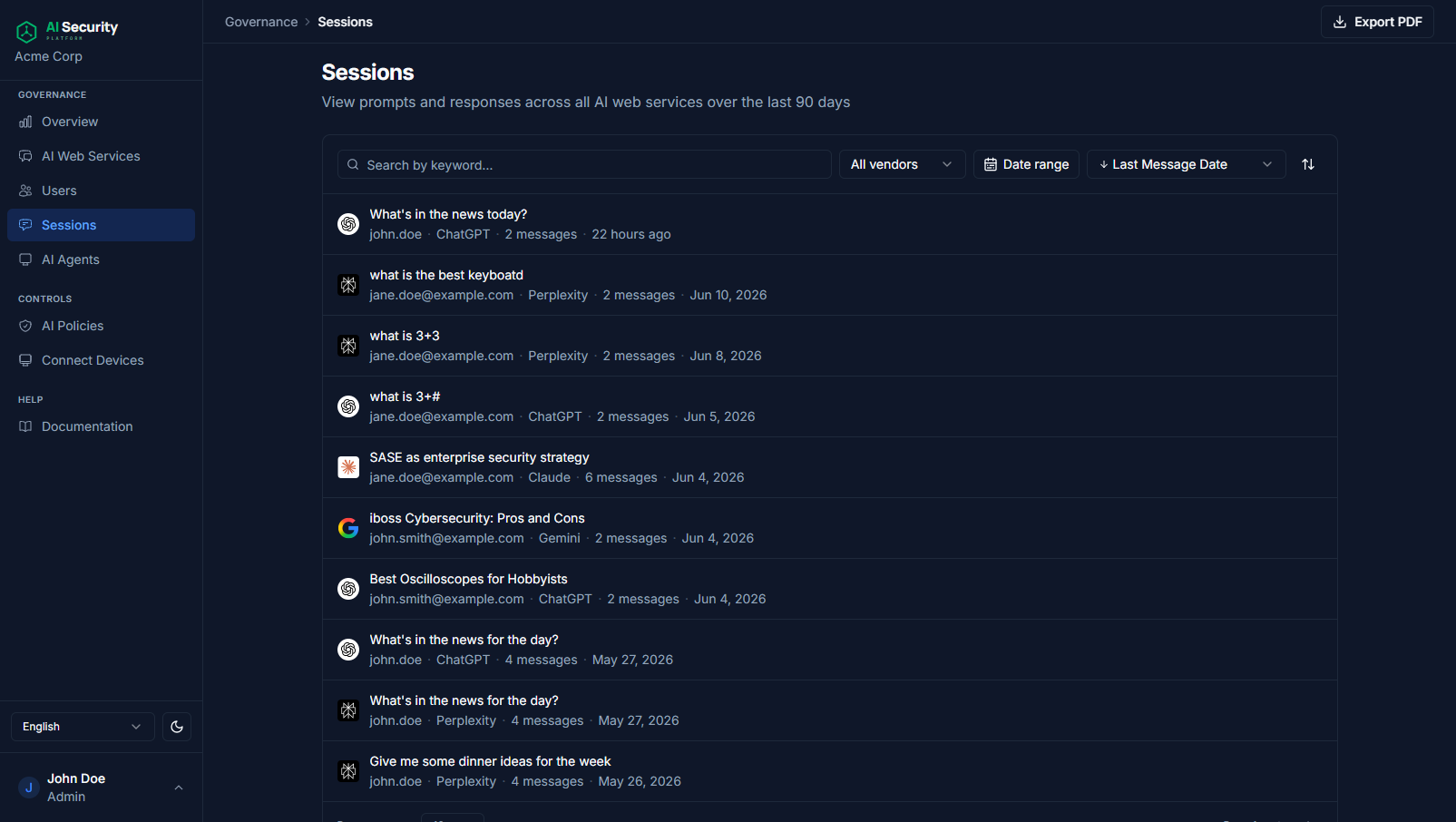
Searchable conversation history
Every prompt and response is captured, attributed, and searchable. Filter by user, vendor, tool, or date, then review the full conversation when something needs a closer look.
- Full prompt + response capture across vendors
- Filter by vendor, user, message, or date range
- One-click drill into the complete conversation
Endpoint Apps
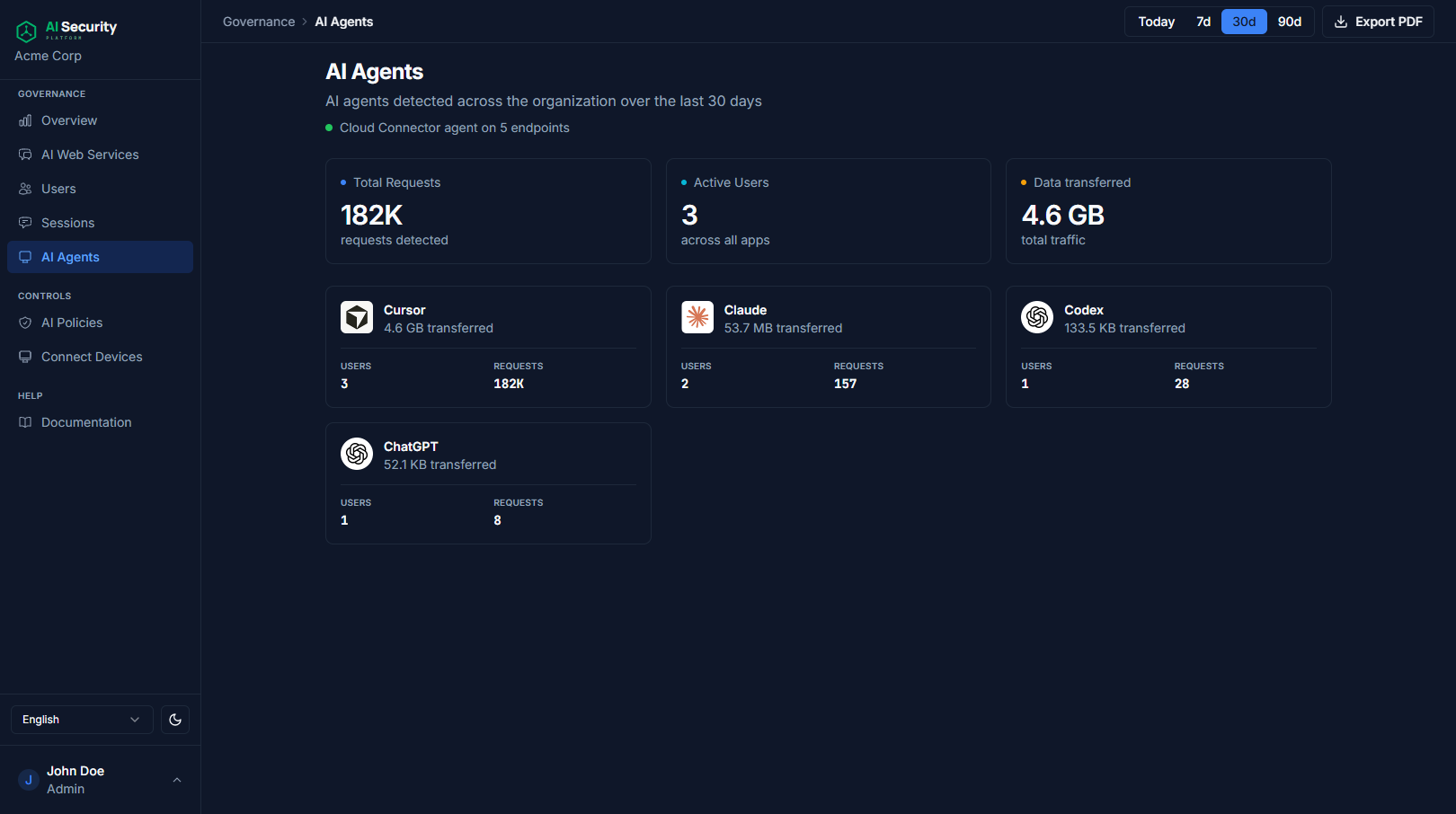
Desktop AI apps, accounted for
Cursor, Claude, Microsoft Copilot, and other endpoint AI applications get the same treatment as browser-based tools. They're inventoried, attributed, and surfaced with request volume and data transferred.
- Automatic inventory of installed AI desktop apps
- Request counts and data-transfer totals per app
- External-domain breakdown to spot anomalies
Per-tool detail
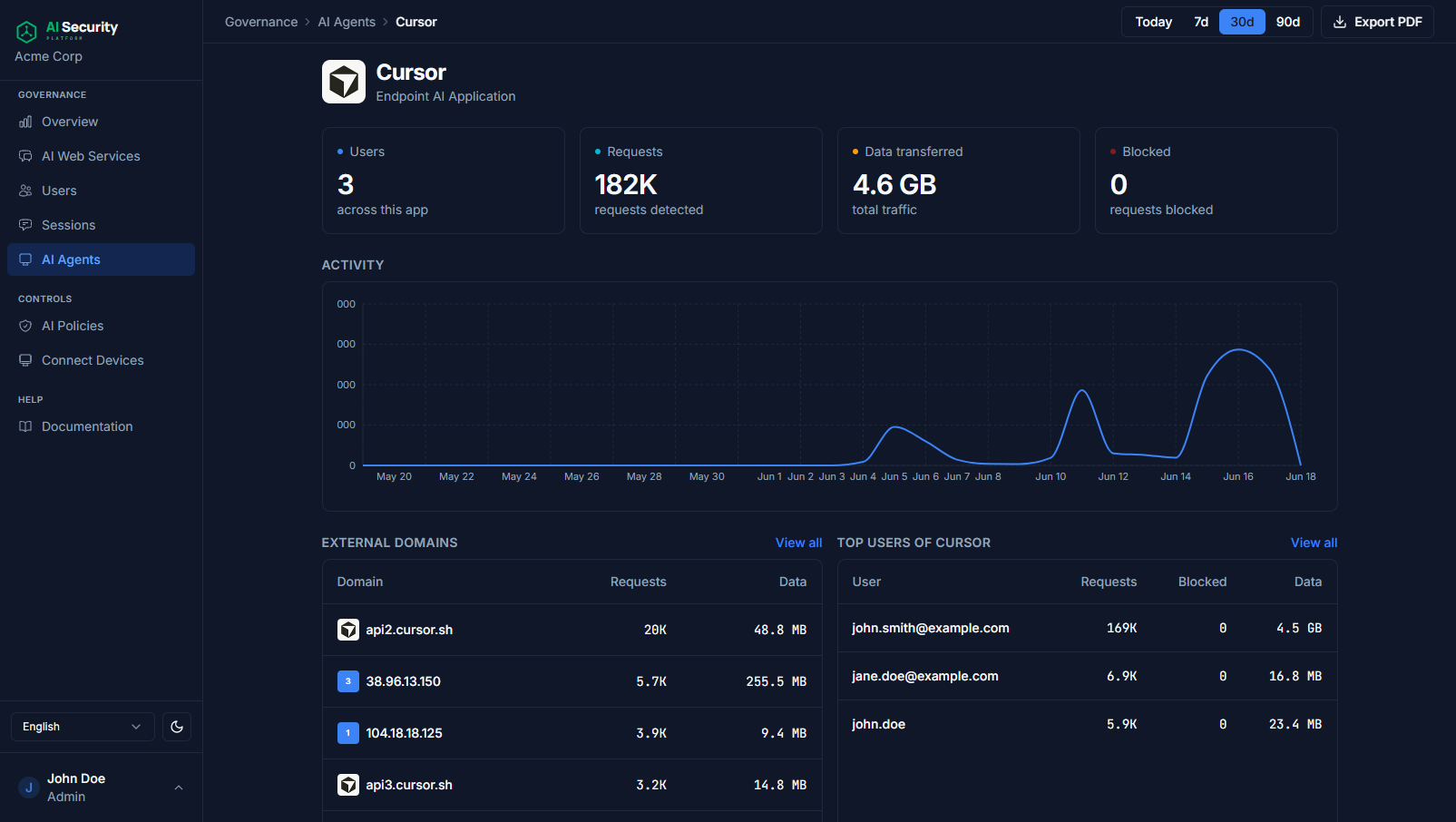
Drill down to a single tool
Every tool gets its own dashboard with activity over time, top users, the external domains it talks to, and the policy that governs it.
- Activity charts with adjustable time spans
- Top users and external domains contacted
- Linked policy with one-click jump to edit
Controls
Enforce the rules your organization needs
AI Policies
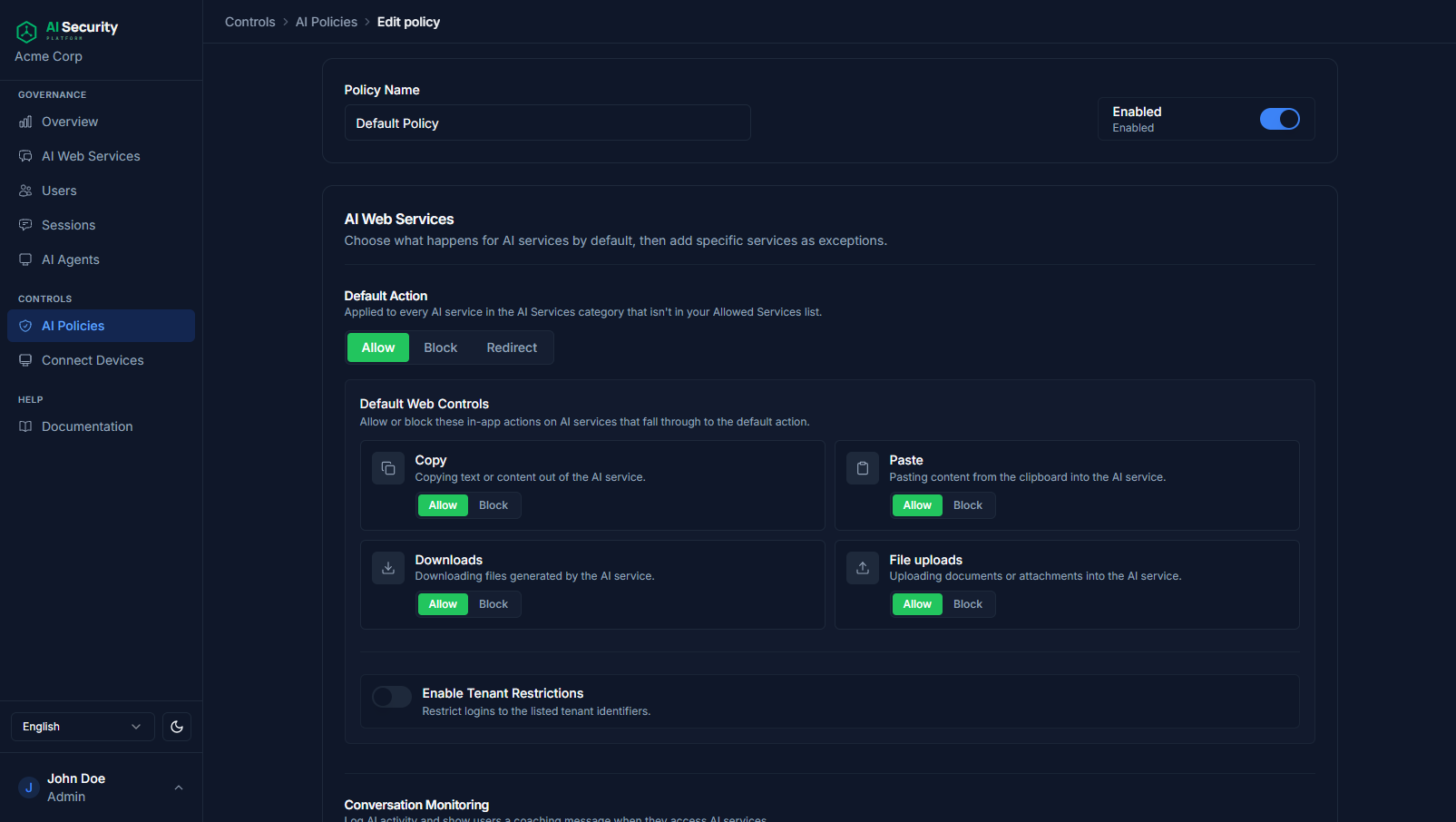
Allow, block, monitor, or coach access per tool
Define a default action for AI services, then carve out exceptions for the ones you've approved. Toggle conversation monitoring and coaching messages so users know when they're being watched.
- Default Allow / Block / Redirect per category
- Per-service exceptions with fine-grained actions
- Optional coaching messages displayed to end users
Data leak prevention
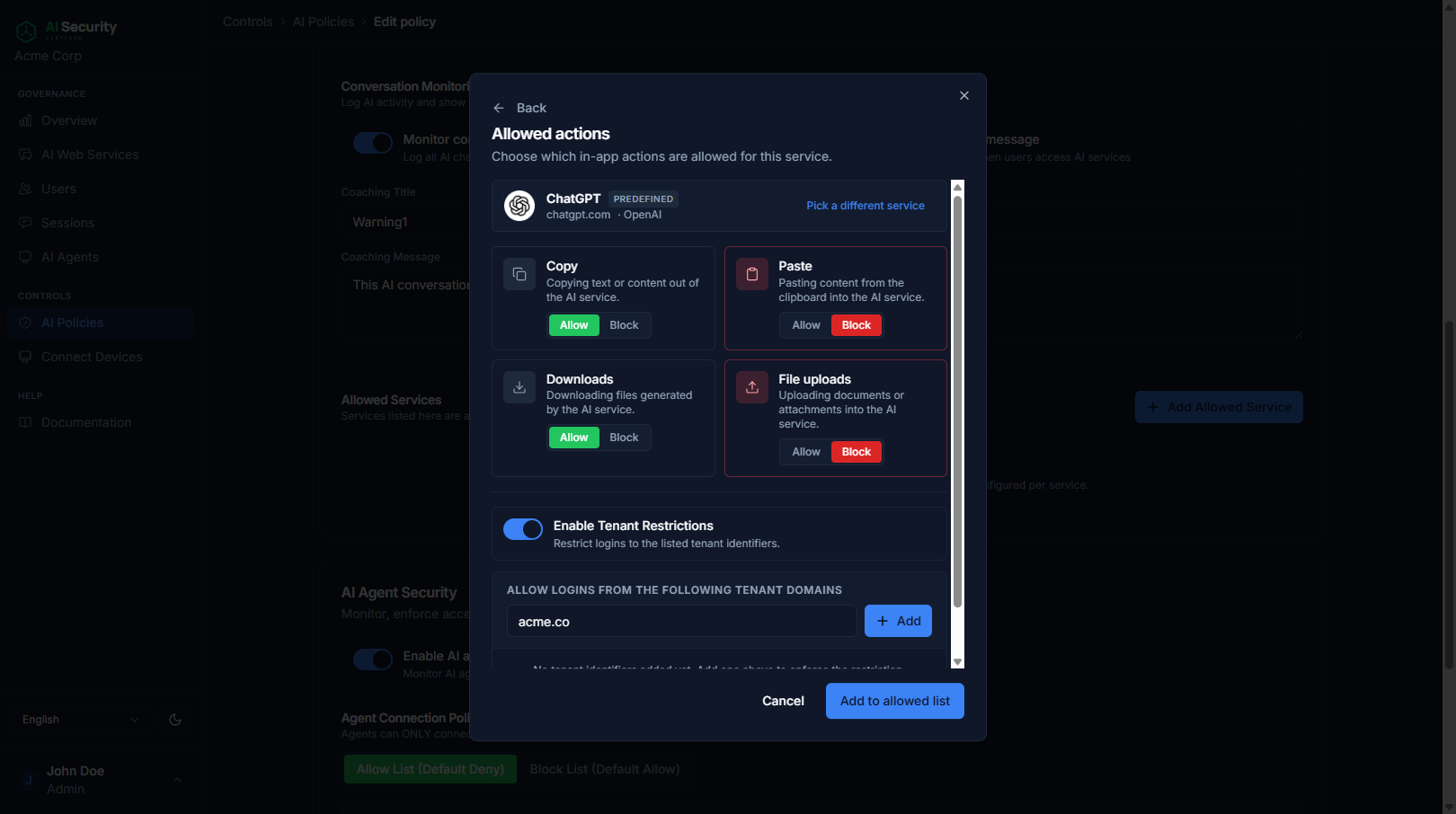
Block copy, paste, downloads, and uploads
Decide which in-app actions are allowed for each AI service. Stop sensitive content from leaving the organization without blocking the tools your teams need.
- Per-service Copy / Paste / Download / Upload toggles
- Tenant restrictions to keep employees in your accounts
- Granular by app, with different rules for ChatGPT vs. Claude
AI Agent Security
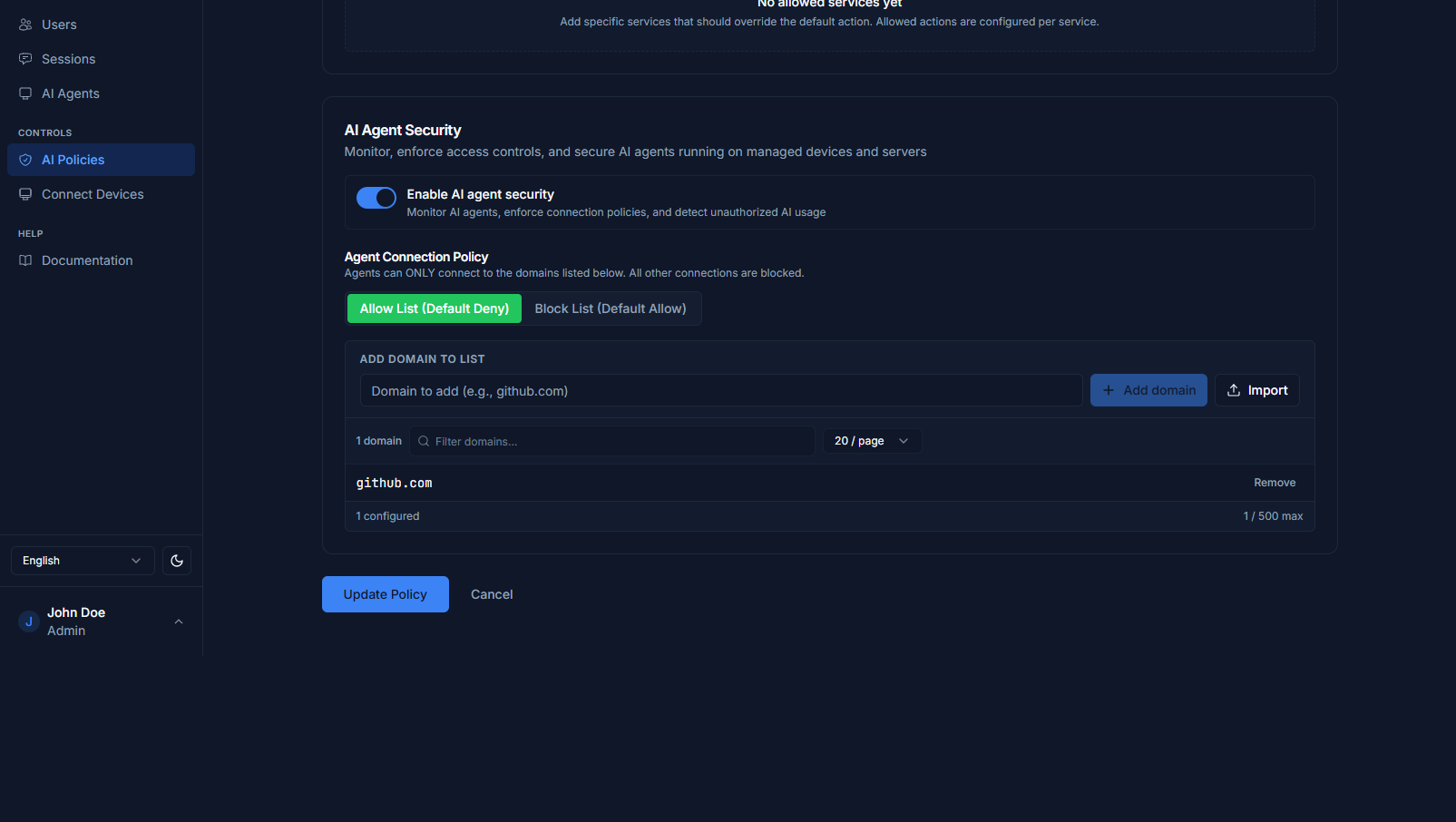
Secure the agents you're building
Enforce connection policies on AI agents running across your endpoints and servers. Allow-list or block-list the domains they can reach. By default, all outbound traffic is denied.
- Default-deny agent connection policy
- Domain allow / block lists with import support
- Detects unauthorized AI usage at the agent layer
Connect Devices
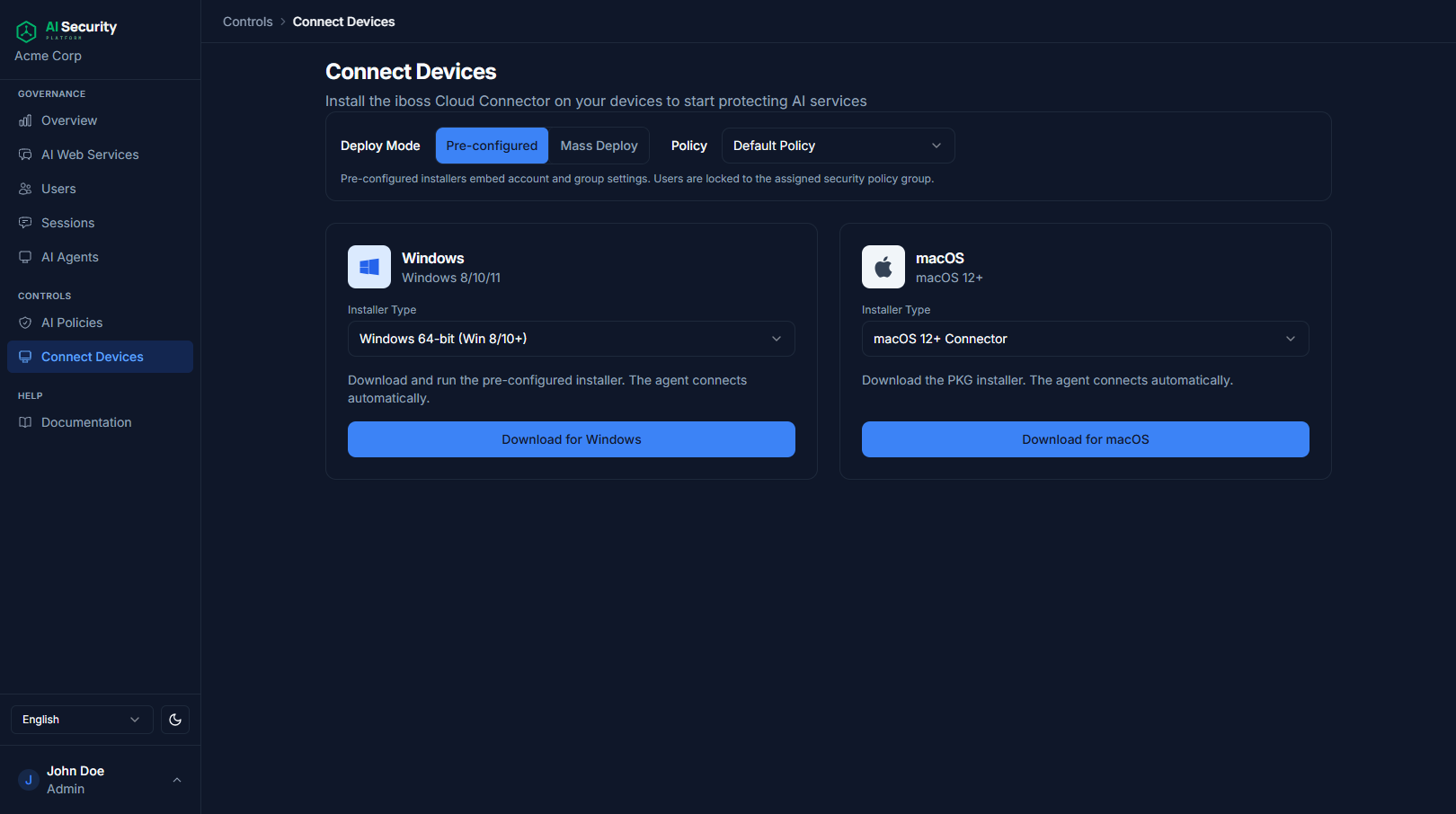
Roll out without a rollout project
Pre-configured installers for Windows and macOS. Hand them to IT or push them via MDM. There's no manual enrollment step per device.
- Windows 8/10/11 and macOS 12+ installers
- Pre-configured, mass-deploy, or self-serve modes
- Push via MDM or run interactively
Find out what AI your team is using
Connect your first device and start seeing real activity within minutes.